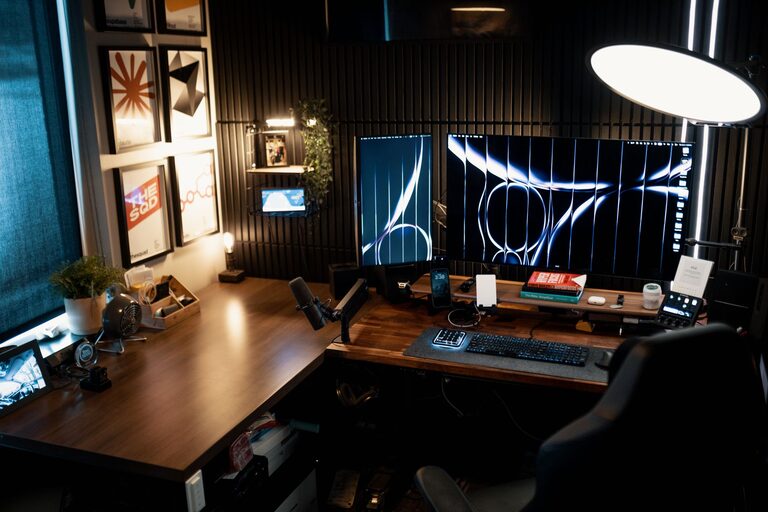
Creating a productive home workspace is essential for anyone working or studying remotely. An organized and well-designed space can help improve focus, reduce stress, and increase your overall efficiency. Whether you have a dedicated room or just a small corner, these tips will help you set up a home workspace that works for you.
1. Choose the Right Location
Finding the ideal spot for your workspace is the first step. Here are some things to consider:
– Lighting: Natural light is best. Set up near a window if possible to reduce eye strain and boost mood.
– Noise level: Pick a quiet area with minimal distractions, away from high-traffic parts of your home.
– Space: Ensure there’s enough room for your desk, chair, and any equipment you need.
Even if space is limited, a small nook or a corner of a room can be turned into a functional workspace.
2. Invest in Comfortable Furniture
Comfort plays a big role in productivity. Your chair and desk should support good posture to avoid discomfort during long hours.
– Ergonomic chair: Look for adjustable height and good back support.
– Desk height: Your desk should be at a comfortable height so that your elbows form about a 90-degree angle when typing.
– Additional furnishings: Consider a footrest or an adjustable monitor stand to customize your setup.
Comfortable furniture promotes focus and prevents fatigue.
3. Keep Your Workspace Decluttered
Clutter can be distracting and reduce efficiency. Keeping your workspace tidy helps you stay organized and focused.
– Minimalist setup: Only keep essential items like your laptop, notebook, and a pen on your desk.
– Storage solutions: Use shelves, drawers, or organizers to store supplies neatly.
– Daily cleanup: Spend a few minutes at the end of each day clearing your desk.
A clean workspace creates a clear mind.
4. Organize Your Supplies
Having the right tools within reach saves time and frustration.
– Desk organizers: Use trays, cups, or drawers to separate pens, paper, cables, and other items.
– Labeling: Label storage containers or drawers to easily find things.
– Digital tools: Organize your digital workspace by keeping files and emails sorted in folders.
Well-organized supplies make your workflow smoother.
5. Manage Cables and Technology
Tangled cables and messy tech setups can be frustrating.
– Cable management: Use clips, ties, or under-desk trays to keep cables neat.
– Device placement: Position your monitor, keyboard, and mouse at optimal distances to reduce strain.
– Backup tools: Keep chargers, USB drives, and other tech accessories organized in one place.
A tidy tech setup boosts efficiency and safety.
6. Personalize Without Overcrowding
Adding personal touches can make your workspace inviting, but avoid too much decoration.
– Plants: Small desk plants improve air quality and add a calming effect.
– Photos or artwork: A few favorite pictures or art pieces can inspire and motivate you.
– Colors: Use colors that enhance calmness and focus, like blue or green.
Balance personalization with simplicity for a productive environment.
7. Establish a Routine and Boundaries
Your space is more effective when paired with good habits.
– Set work hours: Stick to specific start and end times to create structure.
– Break areas: Keep meals and breaks outside your workspace to separate work from personal time.
– Signal boundaries: Use signs or signals if others are at home to minimize interruptions.
Maintaining routines and boundaries helps your workspace remain a productivity zone.
8. Optimize for Your Workflow
Tailor your setup to match the type of work you do.
– Multiple monitors: Helpful for jobs requiring research or multitasking.
– Task lighting: Use adjustable desk lamps to reduce eye strain during focused tasks.
– Whiteboards or corkboards: Good for visual thinkers to track ideas and deadlines.
Make adjustments as you discover what best supports your work style.
—
Creating a productive home workspace doesn’t have to be complicated. By focusing on comfort, organization, and personalization, you can build an environment that supports your goals and keeps distractions at bay. Start with small changes, and over time, you’ll find your ideal setup that helps you work smarter at home.